iPhone / iPad (iOS 18.0+) · Android 8.0+ · Coming soon
When it lights,it's a bonus.
A simple Japanese-style slot game built around one bonus lamp. Fifteen original machines line a night alley. Stop the three reels yourself, and when the lamp lights up, the bonus is yours.
Scan with your iPhone
Made for
- Adults 18 and over
- Fans of Japanese lamp-style slots
- Players who like one spin at a time
What it does
- 01
15 original machines
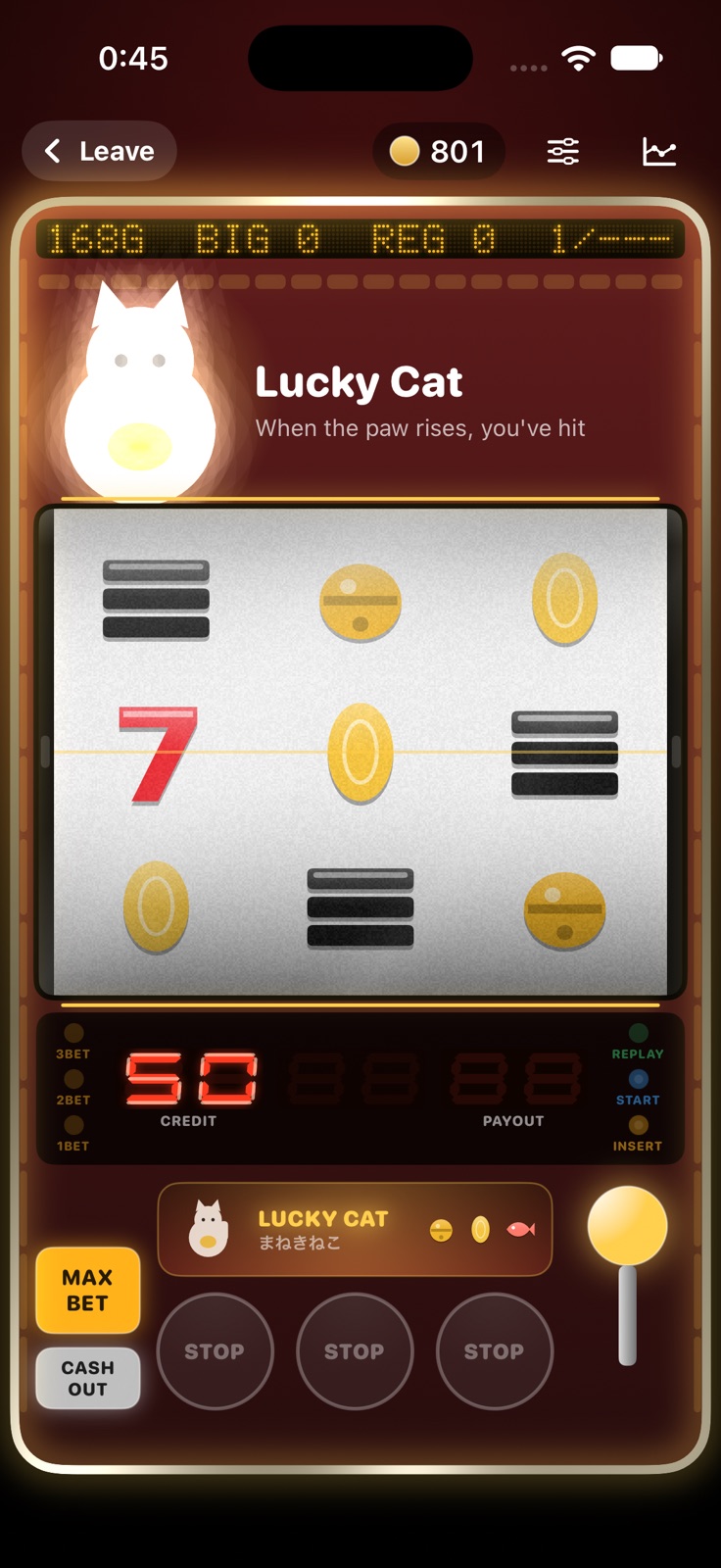
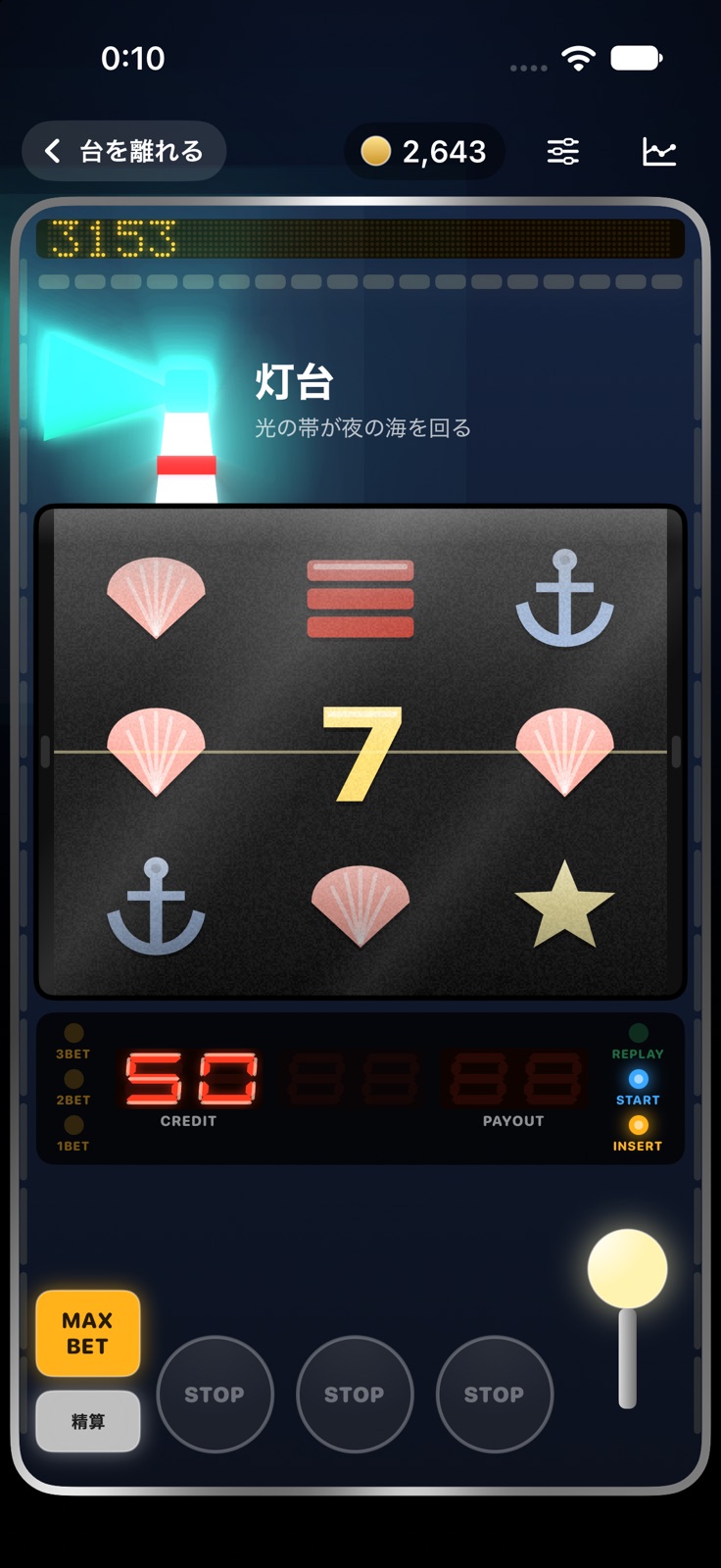
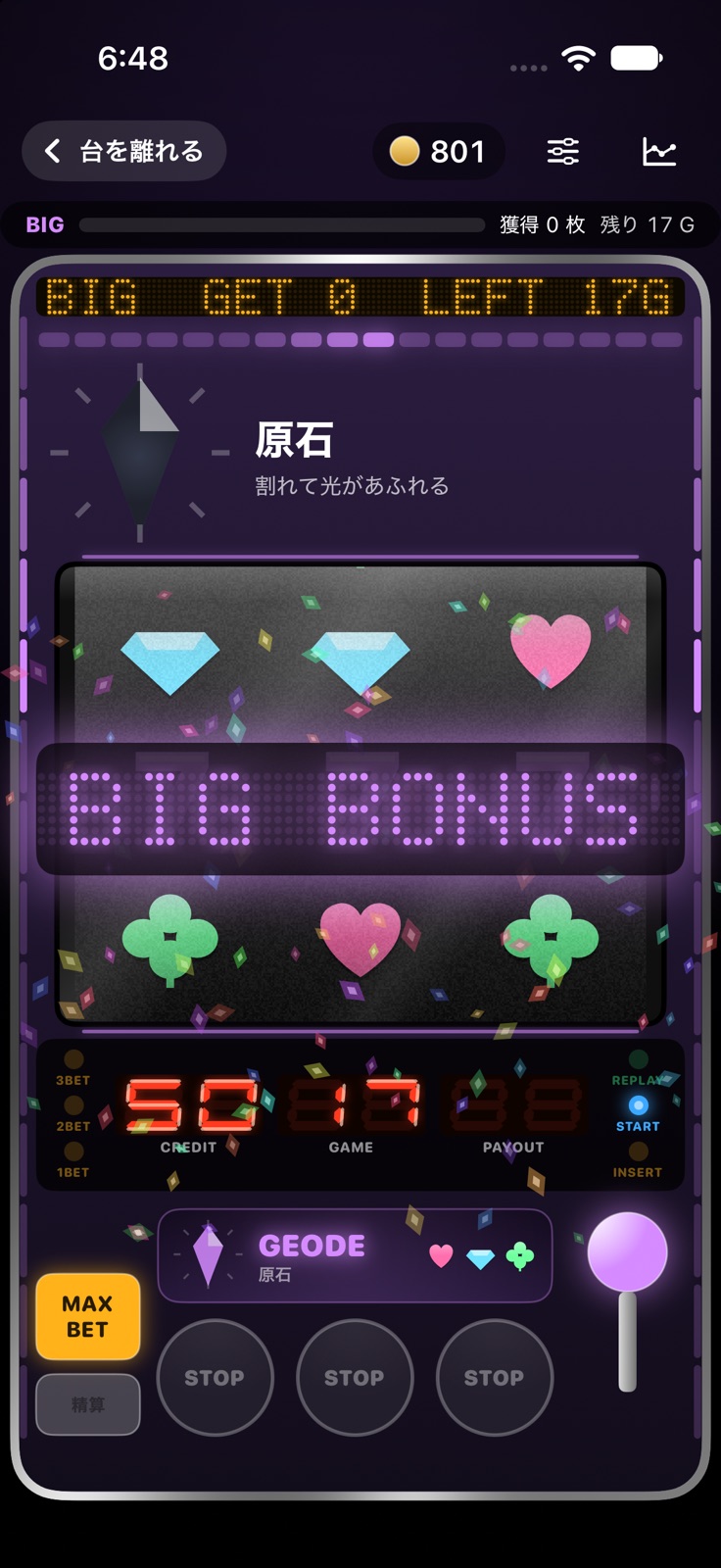
Fireflies in a jar, a ramune marble, a lucky cat raising its paw, a lighthouse beam, a geode cracking open with light. Each machine has its own lamp, symbols and sounds, all made from scratch for this game.
- 02
A lamp that never lies
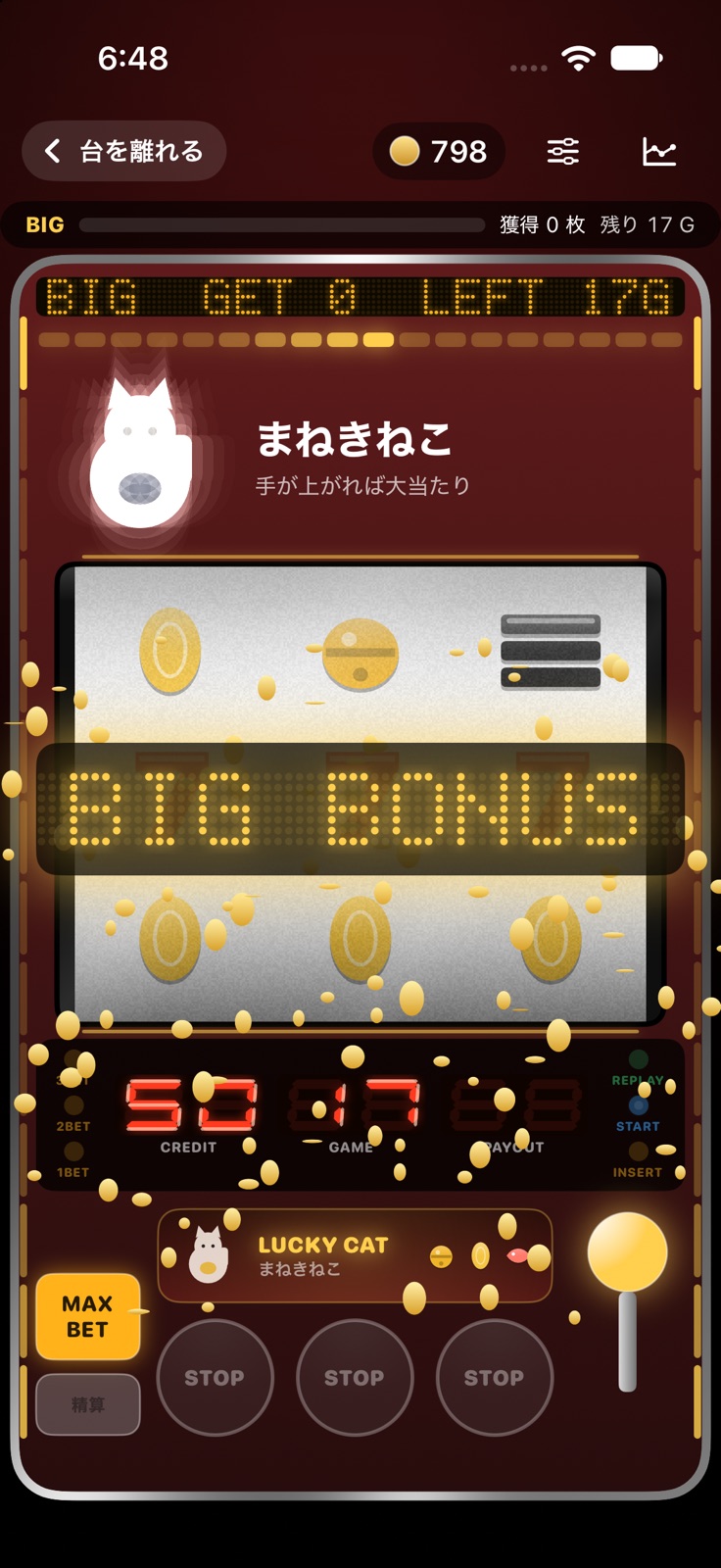
Simple "A-type" play with two bonuses, BIG and REG. If the lamp doesn't light, there is no bonus. Choose when the lamp lights: on the lever, after the third reel stops, or machine default.
- 03
The feel of a real machine
A 4.1-second wait between games like a real machine (2.5 s in Quick mode), reels that slide up to 4 symbols (with an optional stop assist), and seven-segment displays. There is no auto-spin: every game is yours to play.
- 04
Data counter
Each machine records games, BIG/REG counts, combined odds, a slump graph and every hit. Machines run on settings 1 to 6. Before you leave, guess today's setting and see the answer right away.
- 05
Notice log
Collect every way each machine lights up, including the rare ones.
- 06
Machine Maker
Pick colors, symbols, a lamp and a notice style to build your own machine. It joins the hall, and you can load machines from a share code.
How it works
- A
Pick a machine
Choose a machine from tonight's hall.
- B
Pull and stop
Stop the three reels with your own finger.
- C
The lamp lights up
When the lamp lights, the bonus is confirmed.
Screens
Pricing and please note
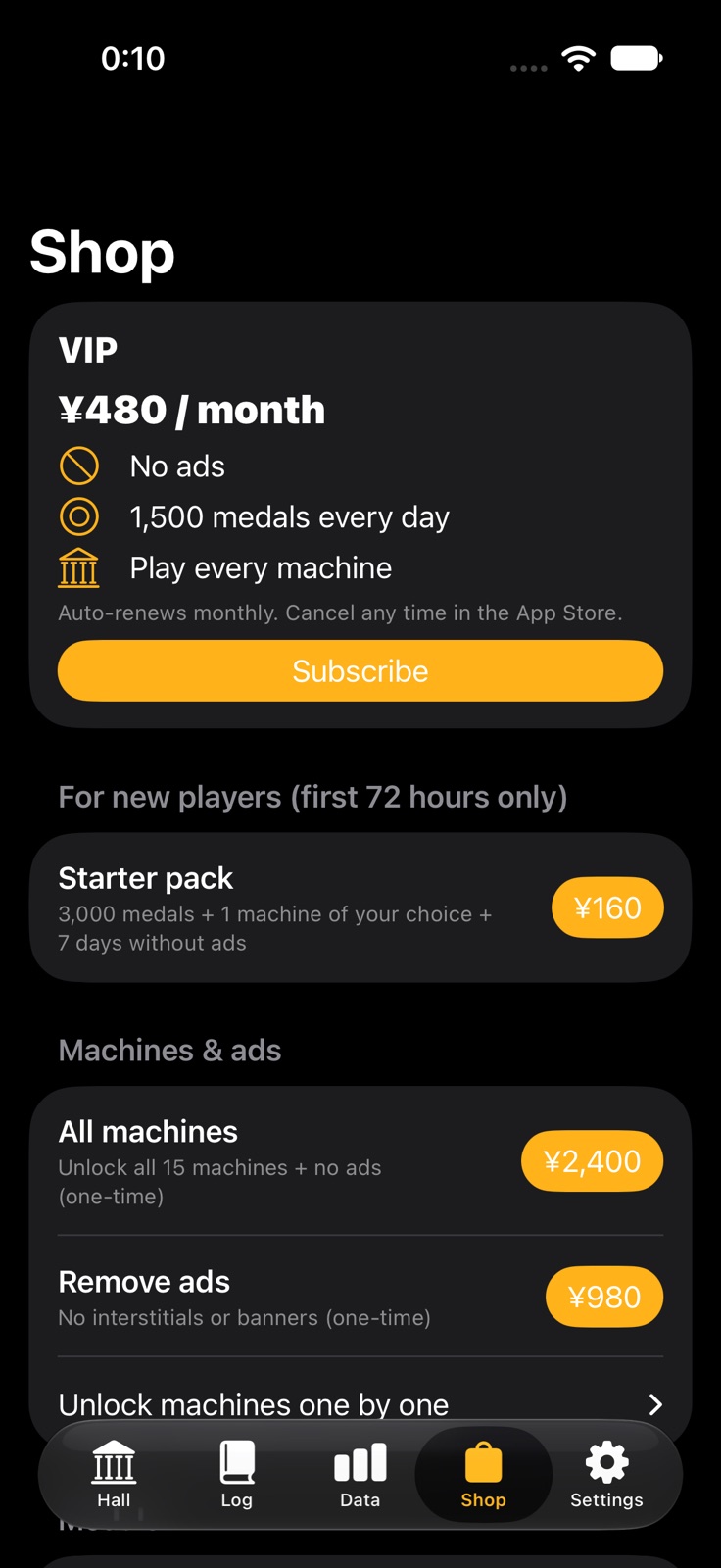
- Free to play with ads. Three machines (Firefly, Ramune, Lucky Cat) are open from the start
- Medals refill over time or by watching an ad
- In-app purchases: VIP Pass (monthly; no ads, 1,500 medals a day, every machine), Remove Ads, machine unlocks and medal packs
- Purchased medals never expire. Buyers see no full-screen ads or banners
- For adults 18 and over. Medals are virtual and cannot be cashed out, exchanged for prizes or transferred
- Not affiliated with any real pachislot or pachinko machine or maker. All machines, symbols and sounds are original
FAQ
Can medals be cashed out?
No. Medals are virtual and can only be used in this game. They cannot be exchanged for cash or prizes, transferred, or redeemed, and there are no prizes to win. The app is intended for adults 18 and over.
Is this affiliated with any real machine or maker?
No. It is not affiliated with any real pachislot or pachinko machine or manufacturer. All machines, symbols and sounds are original.
How do I restore purchases?
Tap Restore purchases in the Shop, signed in with the same Apple Account or Google account you bought with. Machine unlocks, Remove Ads, the all-machines pack and the VIP Pass can be restored (consumables such as medal packs cannot).
How do I cancel the VIP Pass?
The VIP Pass renews automatically every month. On iPhone or iPad, go to Settings > your name > Subscriptions. On Android, open the Google Play Store, tap your profile icon > Payments & subscriptions > Subscriptions (you can also open this from Manage subscriptions in the app's Shop). You keep VIP until the end of the period. Deleting the app does not cancel the subscription.
Can I move my data to a new device?
No. There is no account, and medals, records, the log and machines you built are stored only on the device. Purchases such as machine unlocks, Remove Ads and the VIP Pass come back with Restore purchases on the new device.
How do I review ad privacy settings?
Where consent is required (such as in Europe), use "Privacy choices (ads)" (iOS) or "Ad privacy settings" (Android) in the app's settings. On iOS, change tracking permission in Settings > Privacy & Security > Tracking. On Android, manage the advertising ID in Settings > Privacy > Ads.
How do I change sound and haptics?
Go to Settings > Sound & haptics in the app to turn sound on or off, set the master, music, effects and hall ambience volumes, choose whether to mix with other apps' audio, and set haptics (All / Notice only / Off).
How do I erase my data?
Settings > Erase data removes all medals, records and logs. Purchases can be brought back with Restore purchases.
Where are the Terms of Use?
See the Terms of Use at https://legal.irodori-labo.com/terms/.